Kids learn by building games
with AI.
Your child types ideas in plain words, and Vibe, a friendly AI buddy, helps turn them into a real game, one small step at a time.
▶ Fruit Frenzy, a game by Safa, age 8. Try it: Drag two fruits of the same colour so they touch, then tap one. Then try the 🐀, 🦝 and 🐻❄️ buttons.
Constraints course One of the four topics in the curriculum. See how Safa built this →
Powered by AI that can only write one game file • No accounts for kids • Everything is reviewable by adults
See a real lesson
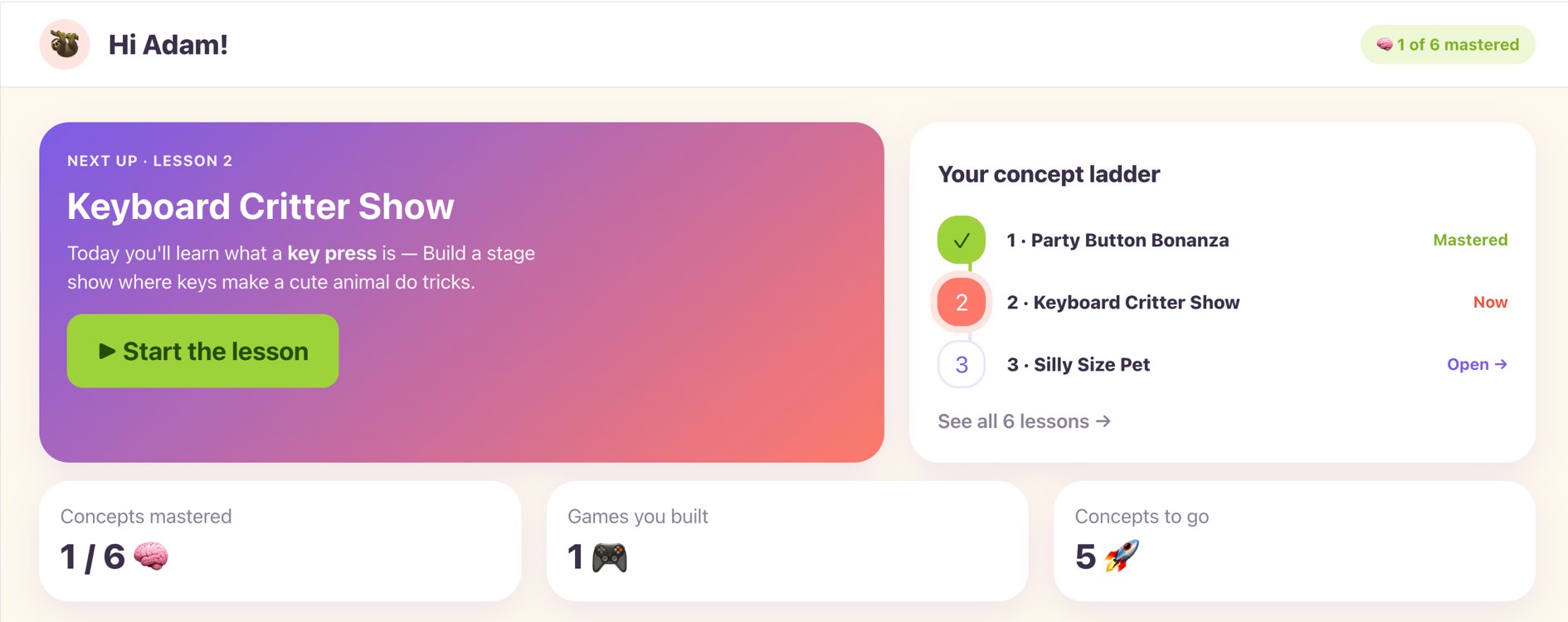
Every picture below is the actual product — Lesson 2 of Actions, Keyboard Animal Show, played start to finish. No mockups.
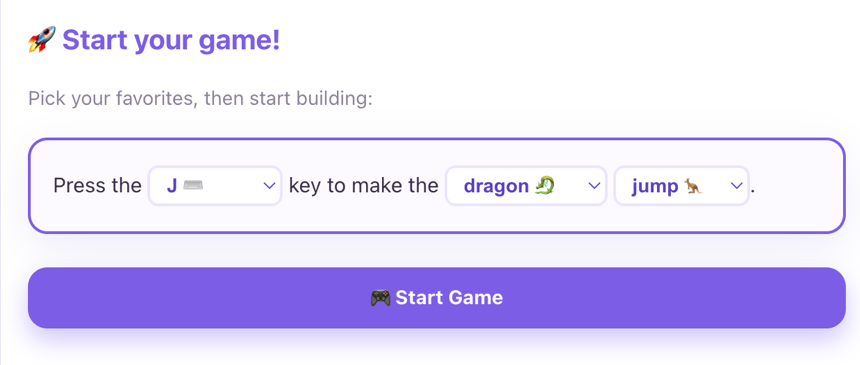
Start with a fill-in-the-blank
No blank page. Kids pick a key, a critter and a trick — “Press the J key to make the dragon jump” — and hit Start Game.
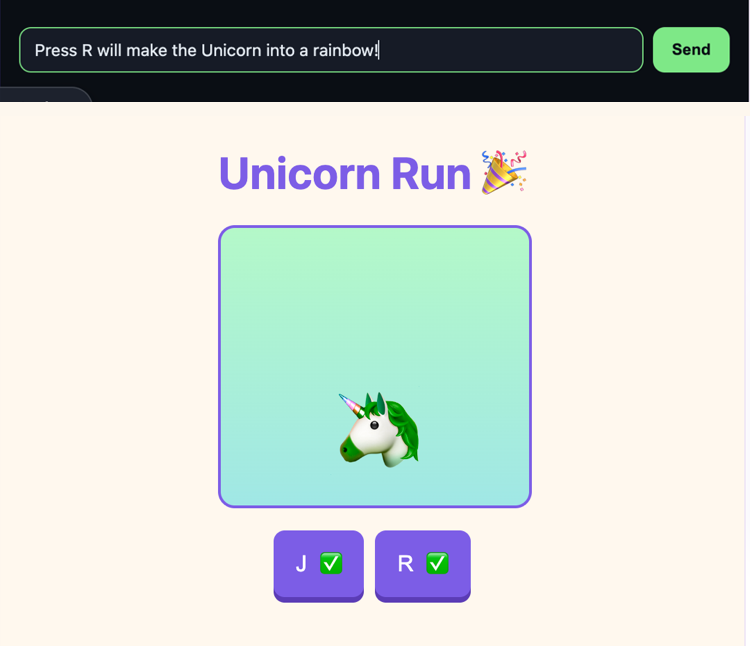
Then they type their own ideas
Type “Press R will make the Unicorn into a rainbow!” — and Vibe builds exactly that, live in the game preview.
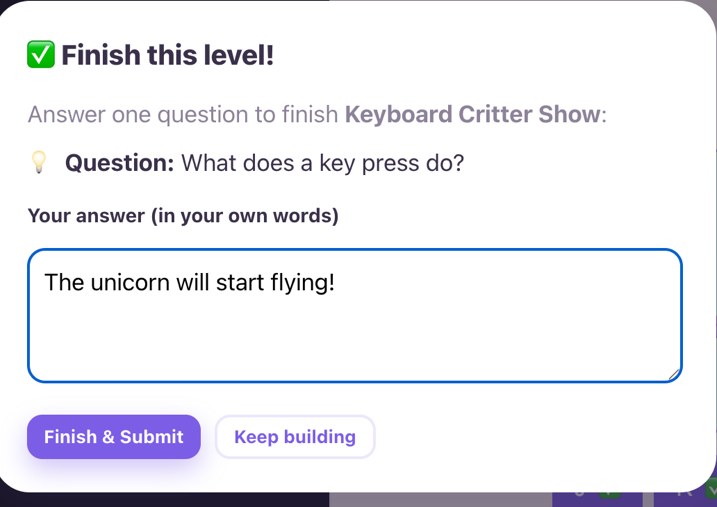
Finish by explaining it
Every lesson ends with one question, answered in the kid's own words — so you see real understanding, not just clicks.
What parents say
“Her favorite thing was the games where she could build her own character and have it interact. What surprised me was how quickly she picked up the concepts from lesson to lesson. Definitely give it a shot with the kid to see how they pick up the concepts of prompting over a few lessons.”
— “Adam,” father of three (name changed at the family’s request)
How Vibekids works
Simple, supervised, and actually fun.

Parents create a family profile
Add your kids (no emails or passwords for them). You stay in the driver’s seat — you type, guide, and see everything they build.

Kids build with Vibe
Through a safe terminal, kids tell Vibe what to make. Vibe helps them build one small piece at a time — and the only thing it can write is their one game file. The game appears live in a preview.
What kids learn: four ways to think like a game maker
24 lessons, one buildable game each. Every lesson starts from a sentence your child types, and ends with a game they can play, change and keep.
Actions
Make things happen · 8 lessonsButtons, keys, sliders and drags that make the game react the instant your child touches it.
Constraints
Rules that decide what works · 6 lessonsWho gets in, how many fit, whose turn it is, what has to happen first — the rules that turn a toy into a game.
Design
How the game looks and feels · 5 lessonsColour, shape, theme and style — and how changing one thing changes the whole mood.
Data
Remember and use information · 5 lessonsNames, numbers, true-or-false, collections and patterns the game keeps track of.
Kids start with Actions and move through Constraints, Design and Data at their own pace — every lesson is included.
Safety is built in
We designed this for young children from day one.
The only thing Vibe can write is your child's one game file. No access to your device, your files, or the network — and each build session is thrown away when it ends.
Every game runs in a locked iframe with strict Content Security Policy. No external scripts, no data leaving the page.
Parents see every prompt and every build. Kids never create accounts alone.
Vibe is instructed to build with the child one small step at a time — never for them.
For parents
Introduce your child to coding — and explore it together, one small game at a time.
✓ You stay in control
Create profiles for your kids. You log in, you select which child is playing, and you see everything they make.
✓ No scary accounts for kids
Kids use simple memorable codes you control. No emails, no passwords, no social features.
✓ Real skills, real output
They don’t just watch videos — they create actual working games they can share with grandparents.
✓ Built for busy families
Short focused sessions. You can jump in and out. Everything saves automatically.
Join the waitlist
We're onboarding families in small batches. Leave your email and we'll invite you as soon as a spot opens.
🔒 100% free waitlist • We respect your privacy — no spam ever • Unsubscribe anytime.
Ready to introduce your child to the world of coding with AI?
Vibe Kids is invite-only right now — join the waitlist and we'll email you when a spot opens.
Questions? Email hello@vibekids.app